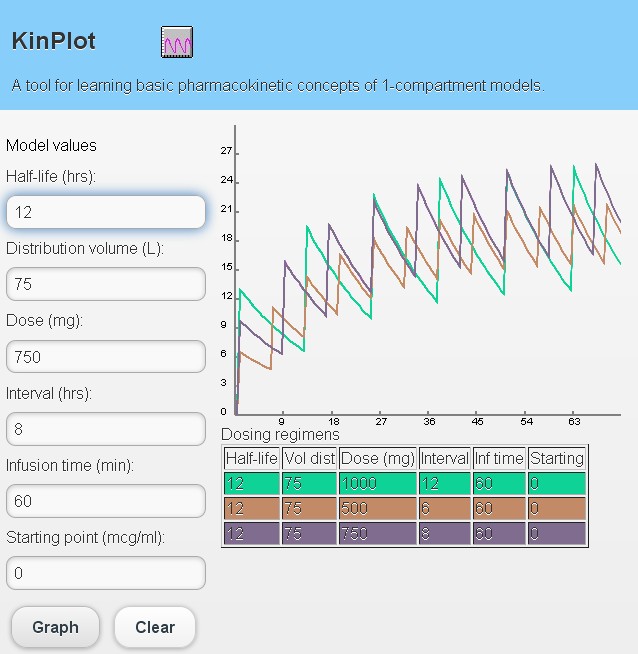
A single page web application:
KinPlot web app
This is a rewrite of a PC app which I wrote for Windows many years ago.
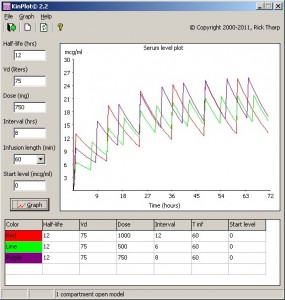
KinPlot for Windows
The purpose of this app is to visualize basic pk concepts of 1-compartment models. To use: enter the model parameters and dosage regimen. Click the graph button to display a serum level plot. You may compare multiple dosing regimens on one graph.
The web version of KinPlot runs in any modern browser that supports HTML5 (Chrome, Firefox, IE 10, Safari). To access the app, point your browser here:
rxkinetics.com/kinplot
KinPlot was written using HTML5, CSS3, and JavaScript/jQuery. There are several tools that purport to combine all these elements into one IDE. I tried Apana studio, Blue Griffon, DreamWeaver, Kompozer, JetBrains Webstorm, and NetBeans. But each was lacking in one way or another.
Eventually I ended up using the best tool to write each portion of the app: Notepad++ for the HTML, TopStyle for the CSS, and Sublime editor for the JavaScript. Coding each portion separately may have helped. Since each of these languages are so different, I was able to concentrate on one task at a time. It took two days to write… not bad.
I plan to submit it to the Chrome marketplace.
Web apps are the wave of the future and single page web apps are the current rage. Downloading and installing a program on your PC/Phone/Device is so ten years ago.
When learning something new, it’s best to start with something simple. It feels good to learn a new programming paradigm and create a working app. I hope to eventually convert more of my tools over to web apps.
Time for a beer.
Addendum
I just stumbled upon Google Chrome Frame after seeing “IE with GCF” in the web site analytics. GCF is a plugin for Internet Explorer 6, 7, 8, and 9 that supports all the HTML5 features that are found in modern browsers. Now if the KinPlot web app is accessed from IE, the web site will prompt for installation of Google Chrome Frame.