
This week was spent working in Eclipse/Java on the Android platform. After finishing the Nook and Playbook apps, work was completed on much needed updates to AbPk for Android, including the following
- Added IDMS SrCr adjustment to preferences screen
- Added support for multiple size screens (including tablets)
- Added T90%/T95% calculation to model display and consult email function
- Added mg/kg calculation
- Allow single point Bayesian outside dosing interval
Also did some sprucing up of the screen layouts, and added a custom Toast layout for the information dialogs.
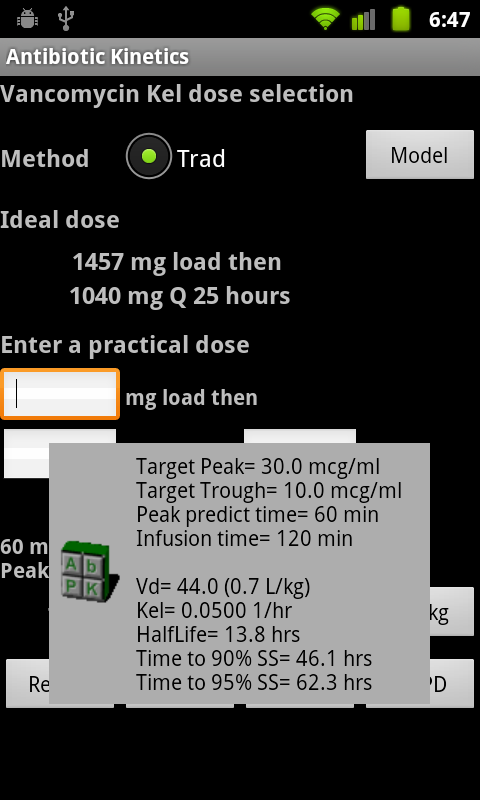
PK model popup
XML for custom Toast
Java for custom Toast
 // Custom toast view

     protected void getCustomToast(String message) {

         LayoutInflater li = getLayoutInflater();

         View toastlayout  = li.inflate(R.layout.custom_toast,

                (ViewGroup) findViewById(R.id.toast_layout_root));
TextView text = (TextView) toastlayout.findViewById(R.id.toastText);
text.setText(message);
Toast toast = new Toast(this);
toast.setDuration(Toast.LENGTH_LONG);
toast.setView(toastlayout);
toast.show();
}
Also changed the formatting on the preferences layout, which has been broken since Android 2.3 (section heading font is smaller than the sub element). Here is the customized preference screen:
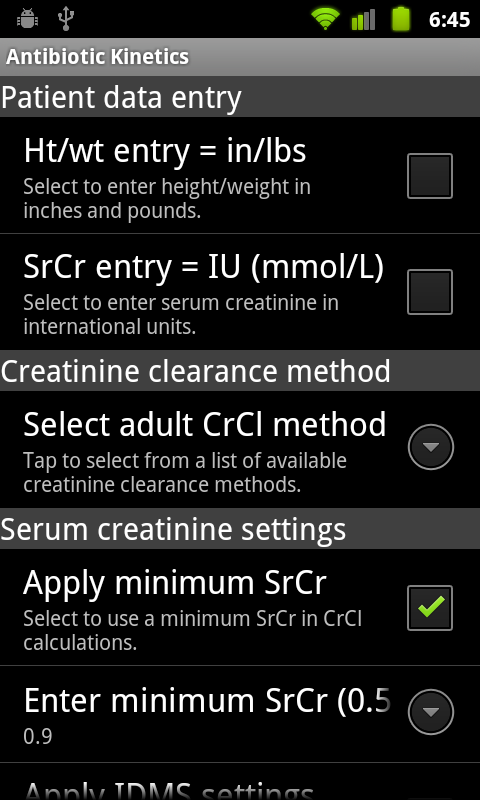
Preferences layout
XML for preference screen
The biggest roadblock I ran into was resetting an out of range preference. The check code is within the onSharedPreference change listener. If a value entered by the user is out of range, then the preference is reset to the default value with this code:
 // Min SrCr text change

 if (key.equals("editTextMinSrCr")) {

      String MinSrCr = sharedPreferences.getString(key, defaultMinSrCr);
// Save or Reset w/error
if(CheckMinSrCr(MinSrCr)){
prefMinSrCr.setSummary(MinSrCr);
}else{
// Reset to default
prefEditor.putString(key, defaultMinSrCr);
prefEditor.commit();
getCustomToast(errMessage);
}
}
However, the editor continues to display the new (wrong) value. It was about to drive me crazy, I checked every post on Stack Overflow to no avail. The people who answer questions there work in Java all the time and argue about whose code is more “elegant”, I just want some practical advice. Google’s Android dev site is a comprehensive encyclopedia, but it gives absolutely no examples. After searching for two days I finally ran across this page on the Android Cookbook web site:
Default shared preferences consistency check
The article contained this revelation: “even if the SharedPreferences contains the right value, you won’t see it displayed correctly. For this reason, you need to reload the preferences activity.”
And that was it, added a reload procedure, and it worked.
 if(CheckMinSrCr(MinSrCr)){

      prefMinSrCr.setSummary(MinSrCr);

 }else{

      // Reset to default

      prefEditor.putString(key, defaultMinSrCr);

      prefEditor.commit();

      reload();

      getCustomToast(errMessage);

 }
private void reload(){
startActivity(getIntent());
finish();
}
I would never have been able to deduce that on my own. So, thank you Android Cookbook, you are now my go-to resource.
Downgraded WordPress to version 3.1.4 from 3.3.1, the insert image functionality and the code formatting plugin are working again.